


1. 接入mPaaS,支付宝原生扫码插件
uniapp里面按照上面的配置
离线打包的时候,增加下面的配置
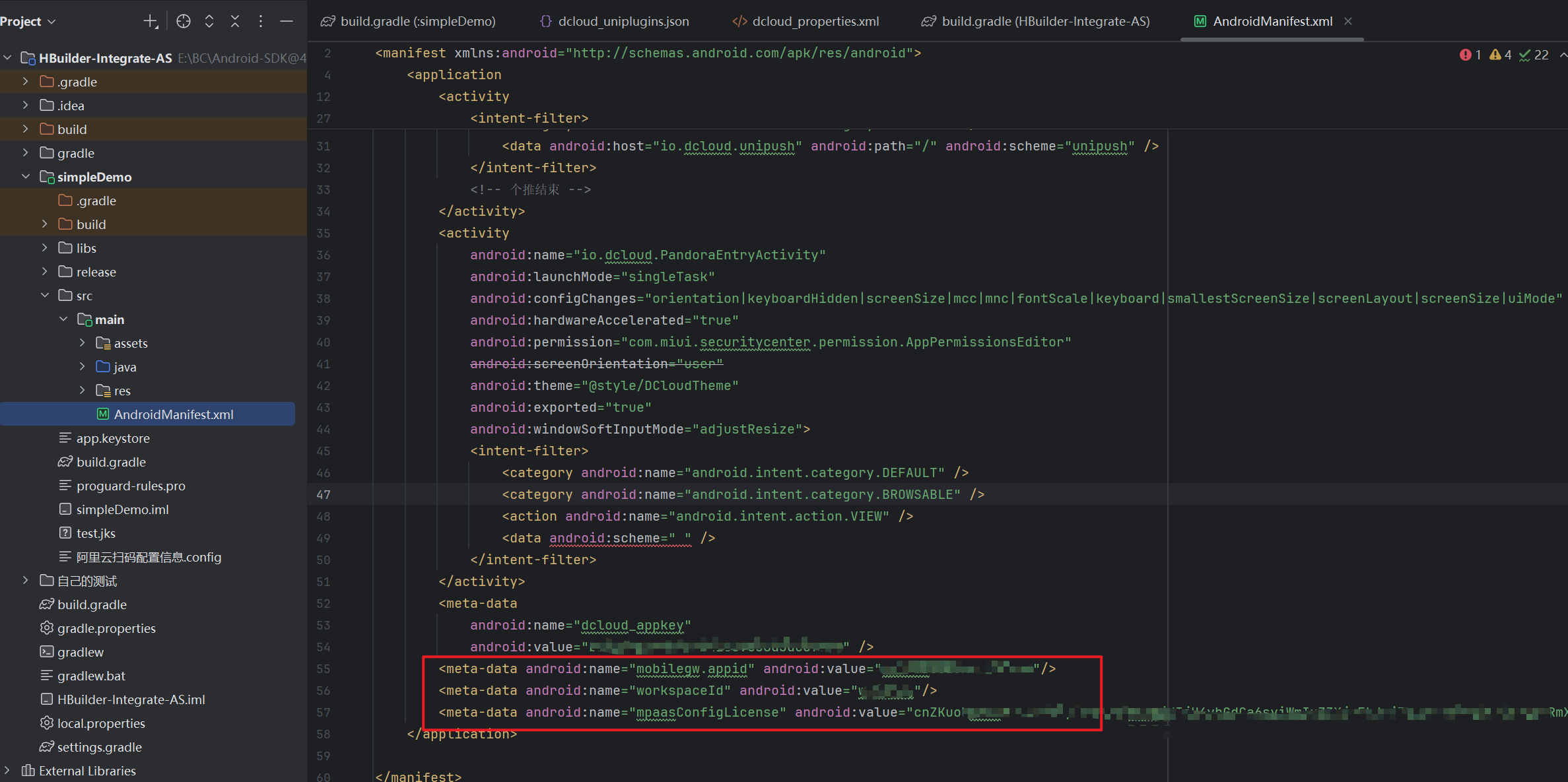
<meta-data android:name="mobilegw.appid" android:value=""/>
<meta-data android:name="workspaceId" android:value=""/>
<meta-data android:name="mpaasConfigLicense" android:value=""/>
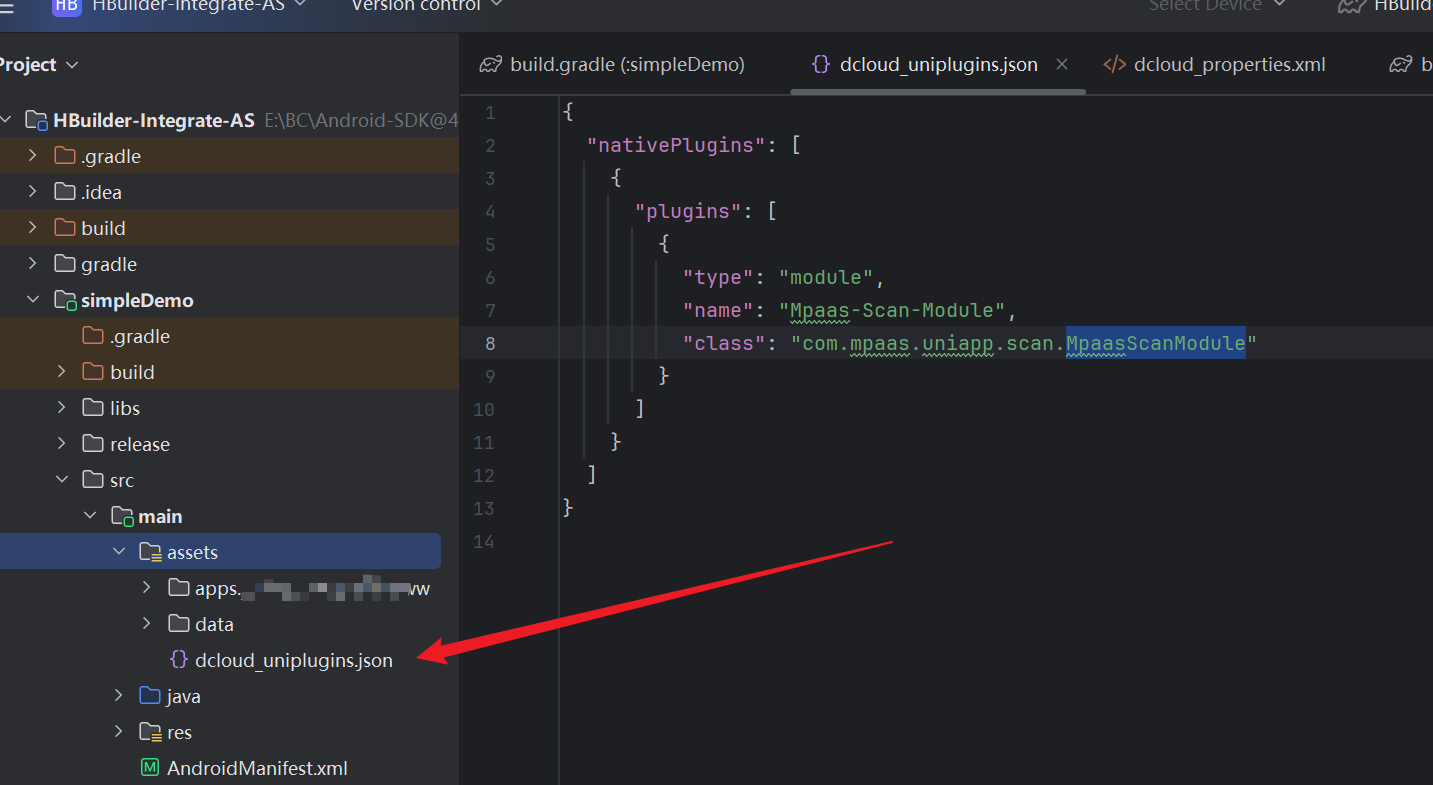
在main\assets目录下,增加一个dcloud_uniplugins.json文件,我是根据插件目录里面的配置写的
{
  "nativePlugins": [
    {
      "plugins": [
        {
          "type": "module",
          "name": "Mpaas-Scan-Module",
          "class": "com.mpaas.uniapp.scan.MpaasScanModule"
        }
      ]
    }
  ]
}
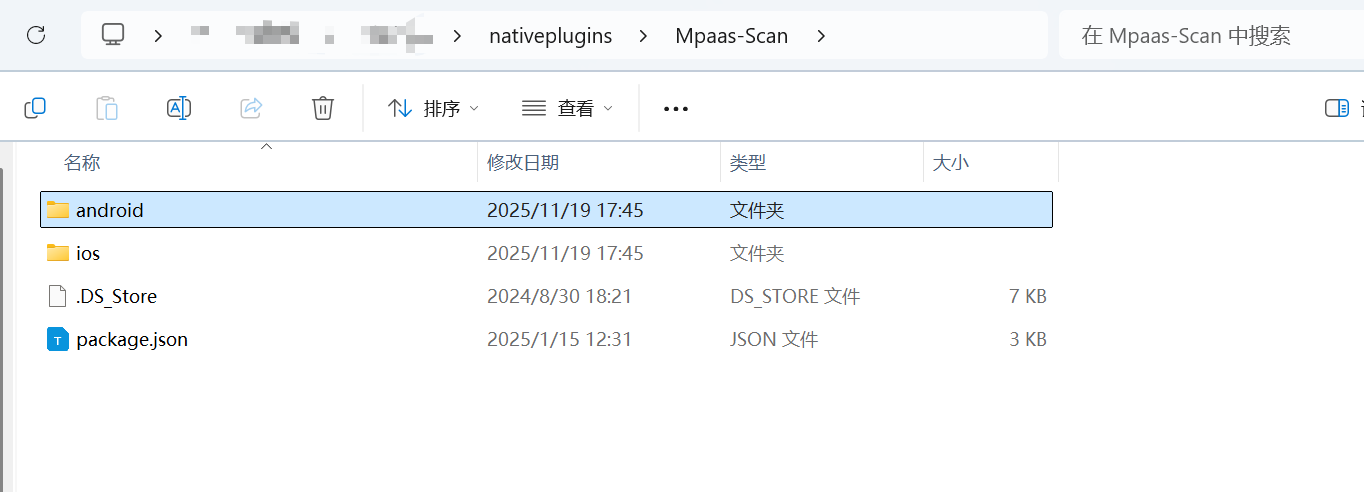
将插件目录下的android,里面的所有内容,都复制到libs里面
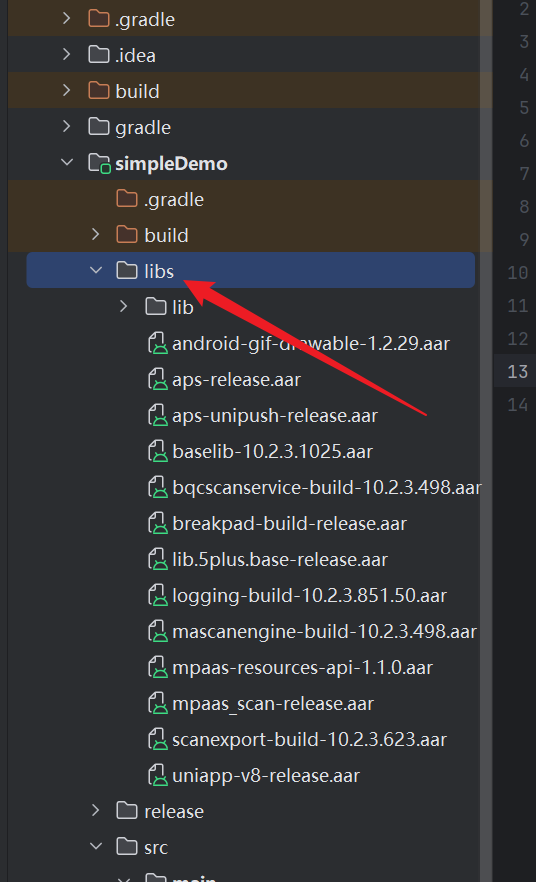
然后正常打包就行了
2. push2.0相关
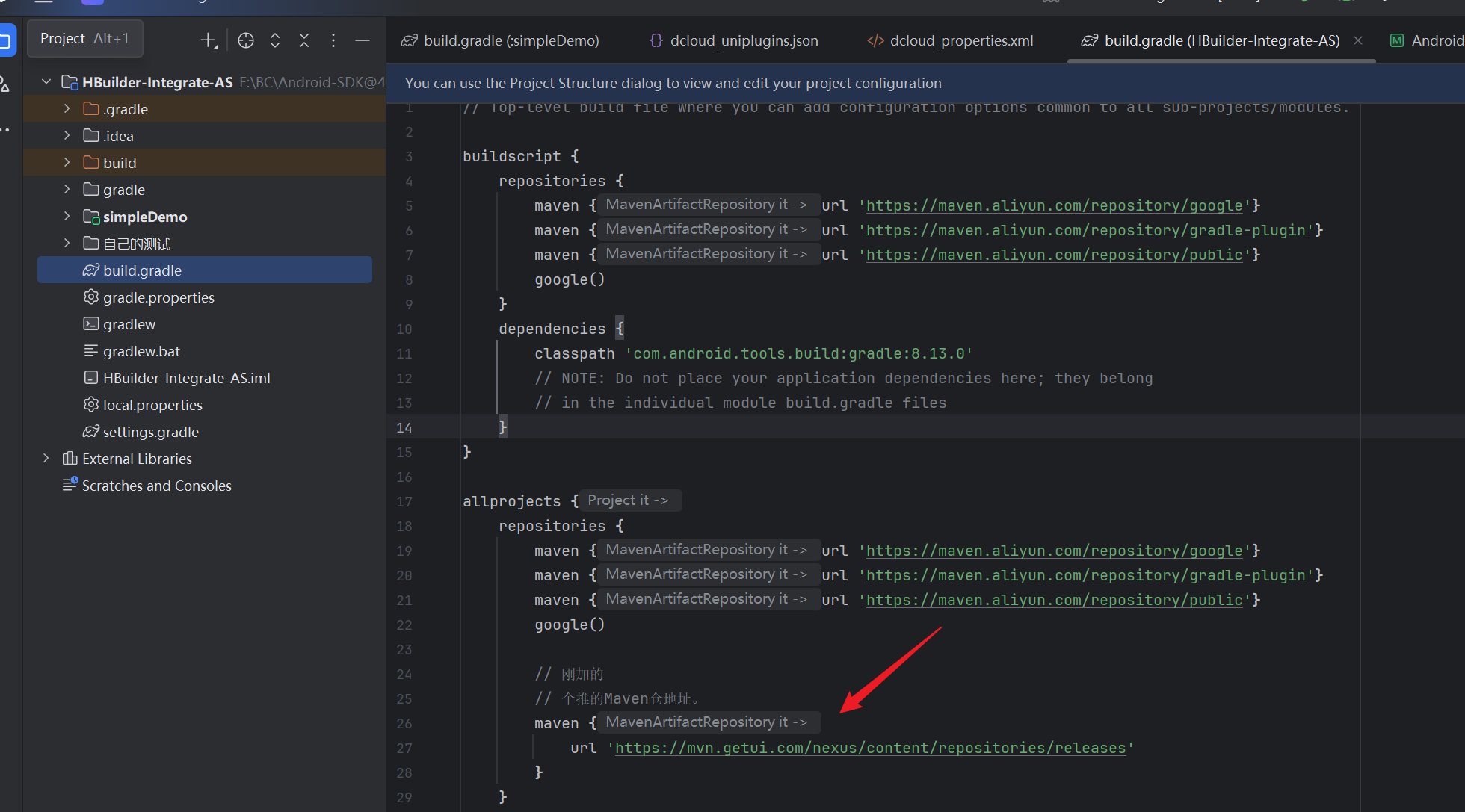
maven {
    url 'https://mvn.getui.com/nexus/content/repositories/releases'
}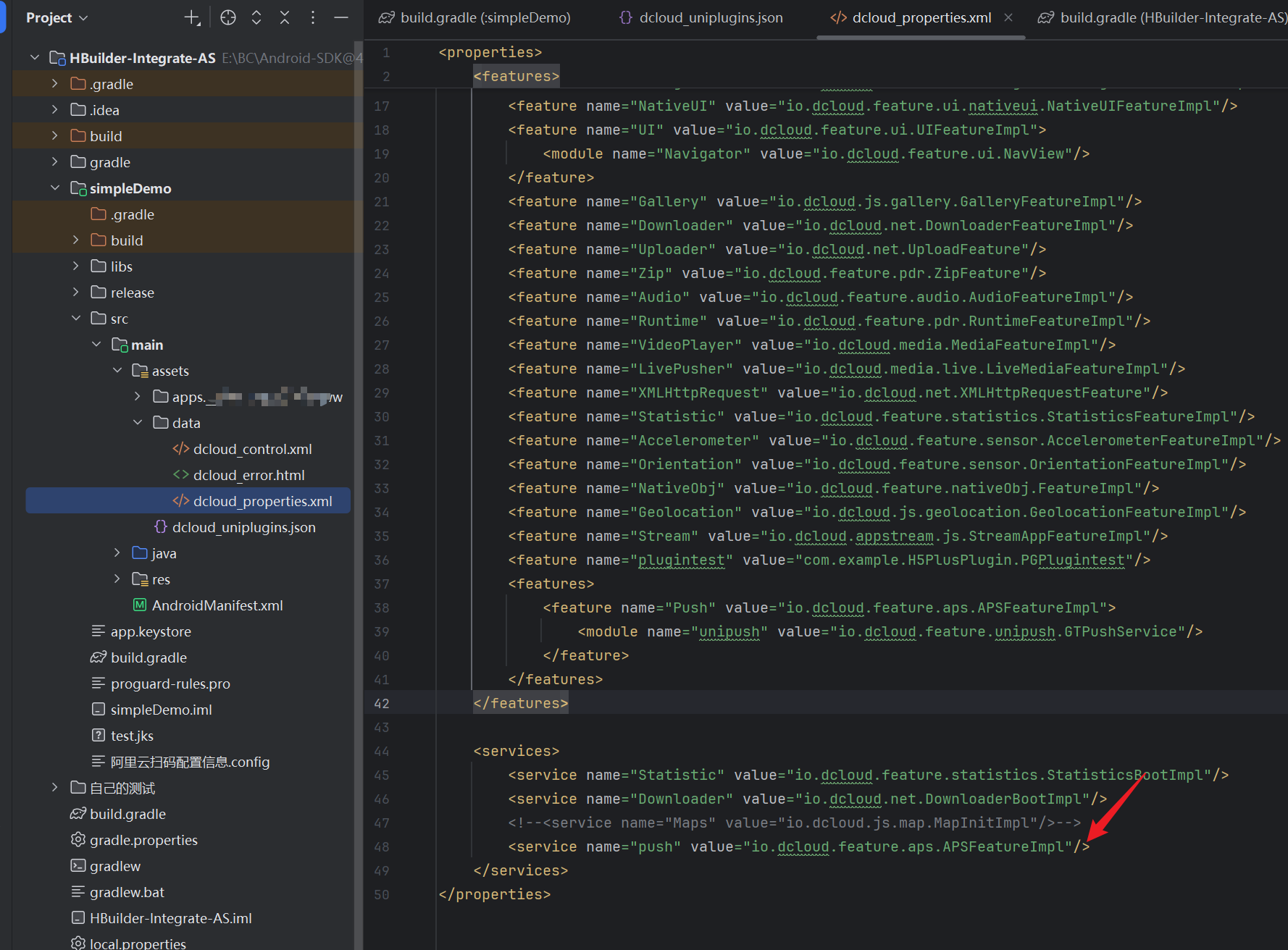
<service name="push" value="io.dcloud.feature.aps.APSFeatureImpl"/>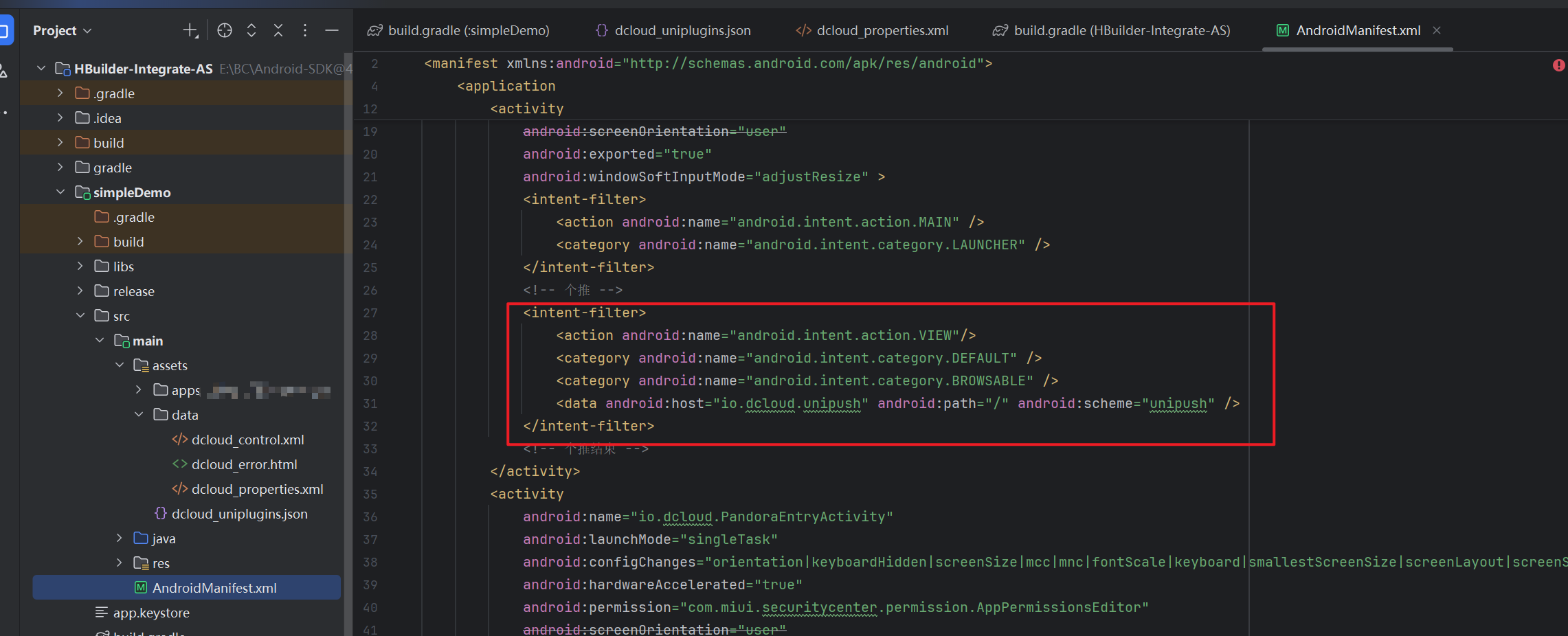
<intent-filter>
    <action android:name="android.intent.action.VIEW"/>
    <category android:name="android.intent.category.DEFAULT" />
    <category android:name="android.intent.category.BROWSABLE" />
    <data android:host="io.dcloud.unipush" android:path="/" android:scheme="unipush" />
</intent-filter>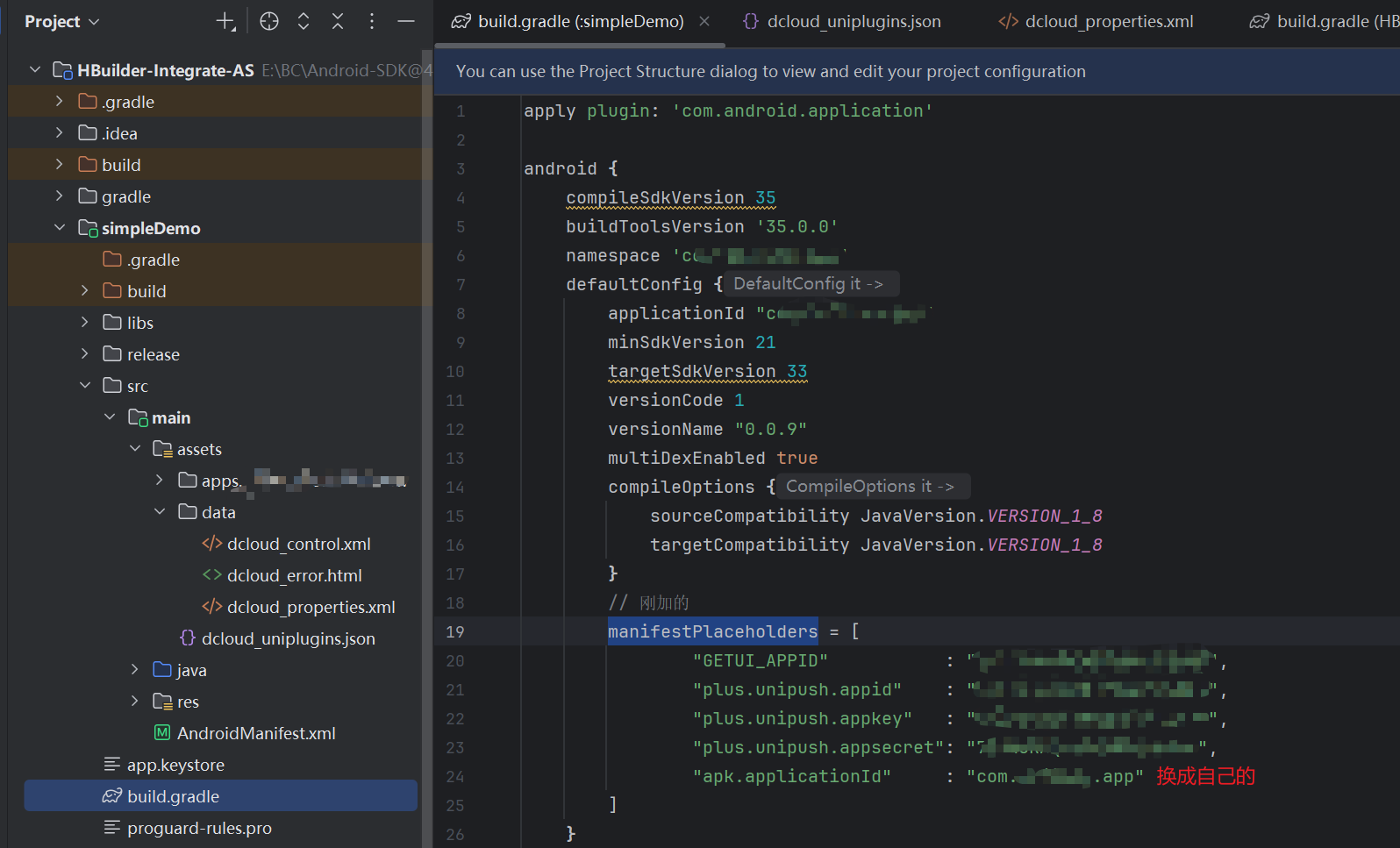
// 个推相关
manifestPlaceholders = [
        "GETUI_APPID"           : "GETUI_APPID",
        "plus.unipush.appid"    : "GETUI_APPID",
        "plus.unipush.appkey"   : "AppKey",
        "plus.unipush.appsecret": "AppSecret",
        "apk.applicationId"     : "包名:比如com.test.app"
]
在hb项目里面,右键,新增云函数,提交到线上,便可使用
const uniPush = uniCloud.getPushManager({appId: "你的应用appId"}) //注意这里需要传入你的应用appId
exports.main = async (event, context) => {
    let push = {
        "push_clientid": "",  # 填写上一步在uni-app客户端获取到的客户端推送标识push_clientid
        "force_notification": True,  # 填写true,客户端就会对在线消息自动创建“通知栏消息”。
        "title": "通知栏显示的标题",
        "content": "通知栏显示的内容",
        "settings": {
            # 消息有效期设置,单位毫秒,-1表示不设离线。默认是 2 小时,取值范围:-1 ~ 3 * 24 * 3600 * 1000(3天)之间
            "ttl": 86400000
        },
        "payload": {
            "text": "体验一下uni-push2.0"
        },
        "badge": "+1"
    }
    return await uniPush.sendMessage(push)
}
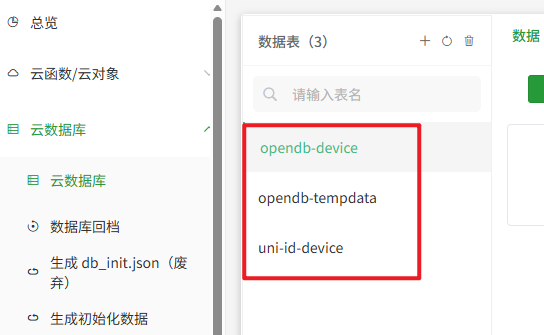
dcloud的云空间,记得添加这三张表
评论 (0)